9 Best Gaming Desks Under $100 (2026)
These nine gaming desks cover compact setups, corner layouts, electric height adjustment and extra storage. Compare their layouts and features to find the right fit for your equipment and room. Recommendations are based on product listings, not hands-on testing.
1. HLDIRECT 47-Inch Gaming Desk with Monitor Stand — First Choicea
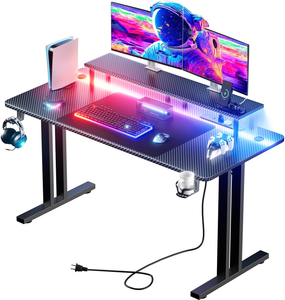
The HLDIRECT 47-inch desk combines the most useful gaming accessories in a compact setup. Its 47 × 24-inch desktop provides room for a keyboard and mouse, while the raised monitor shelf creates storage space underneath the screen. Three AC outlets and two USB ports sit within reach, making it easier to connect everyday devices without reaching behind the desk.
The included mouse pad, cup holder and headphone hook help keep accessories organized. Two cable holes provide routing points, and app-controlled LED lighting sits beneath the monitor stand. The desktop uses particleboard with a carbon fiber-style finish, supported by a steel frame with triangular braces and adjustable feet.
This is a practical first choice for a single-monitor bedroom setup. The main limitation is flexibility: the desk stays at a fixed height, and the monitor shelf determines where your screen sits. Check your monitor base dimensions before buying, especially if you want two screens or plan to keep a tower on the desktop.
Pros: Monitor shelf and built-in outlets; Mouse pad, cup holder and headphone hook included; 24-inch desktop depth.
Cons: Fixed desk height; Monitor shelf limits layout flexibility.
2. HLDIRECT 47-Inch RGB Gaming Desk — Second Choice
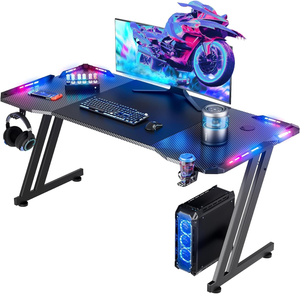
This HLDIRECT is a good alternative if you prefer an open desktop instead of a raised monitor shelf. Its 47 × 23.6-inch surface gives you a straightforward layout for a monitor, keyboard and mouse, with a carbon fiber-textured finish for the gaming look.
App-controlled RGB lighting runs along the sides, while a cup holder and headphone hook move frequently used accessories off the work surface. A mouse pad is included, and the cable manager helps route leads away from the playing area. The metal Z-shaped frame uses triangular supports and adjustable feet.
Choose this version when you want more freedom to position your monitor stand. A dual-monitor arrangement depends on the size of the screens and their bases; adding a tower to the desktop will reduce the remaining mouse space. Compared with our first choice, the listing does not include a built-in charging station or monitor riser. The decision mainly comes down to whether you prefer those extras or the simpler layout.
Pros: Open desktop layout; App-controlled RGB lighting; Mouse pad and accessory holders included.
Cons: No listed built-in charging station; Fixed height and no storage shelves.
3. AODK 53-Inch Reversible L-Shaped Gaming Desk
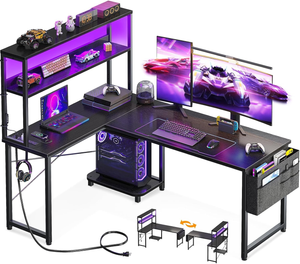
The AODK 53-inch desk suits a corner setup that needs separate places for a PC and smaller accessories. Its reversible arrangement lets you install the upper storage section on either side, making it easier to adapt the desk to your room.
Two shelves, a CPU stand, a storage bag and a headphone hook offer more organization than a basic rectangular table. Three power outlets and two USB charging ports keep device connections nearby. The LED strip adds adjustable lighting, while the upper rack can serve as either a display shelf or monitor stand.
The main compromise is depth. The listing specifies an 18.9-inch-deep work surface, so a large monitor base may leave limited space for your keyboard. Check the full L-shaped footprint before ordering, rather than relying only on the 53-inch label.
Pros: Reversible corner layout; Built-in outlets and USB ports; Multiple accessory storage options.
Cons: Shallow work surface.
4. Casaottima 53-Inch L-Shaped Desk with Hutch
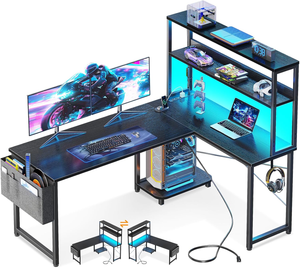
The Casaottima combines a corner desk with a tall storage hutch, making it useful when your setup needs space for books, controllers and display items. The hutch can be installed on the left or right, giving you some flexibility around nearby walls and furniture.
Three AC outlets and two USB ports provide accessible charging, while the LED strip offers adjustable colors, brightness and lighting modes. Two shelves, a CPU stand, a headphone hook and a storage bag help separate equipment from the main desktop. Adjustable feet let you level the desk on an uneven floor.
This layout works best for someone who wants an organized station that stays in one place. The hutch takes up vertical space, so measure beneath windows or existing wall shelves. Also check the PC compartment against your case dimensions and ventilation needs.
Pros: Reversible hutch placement; Power outlets and USB charging; Shelves, CPU stand and storage bag.
Cons: Tall hutch needs overhead clearance.
5. Veken 47.2-Inch Electric Standing Desk
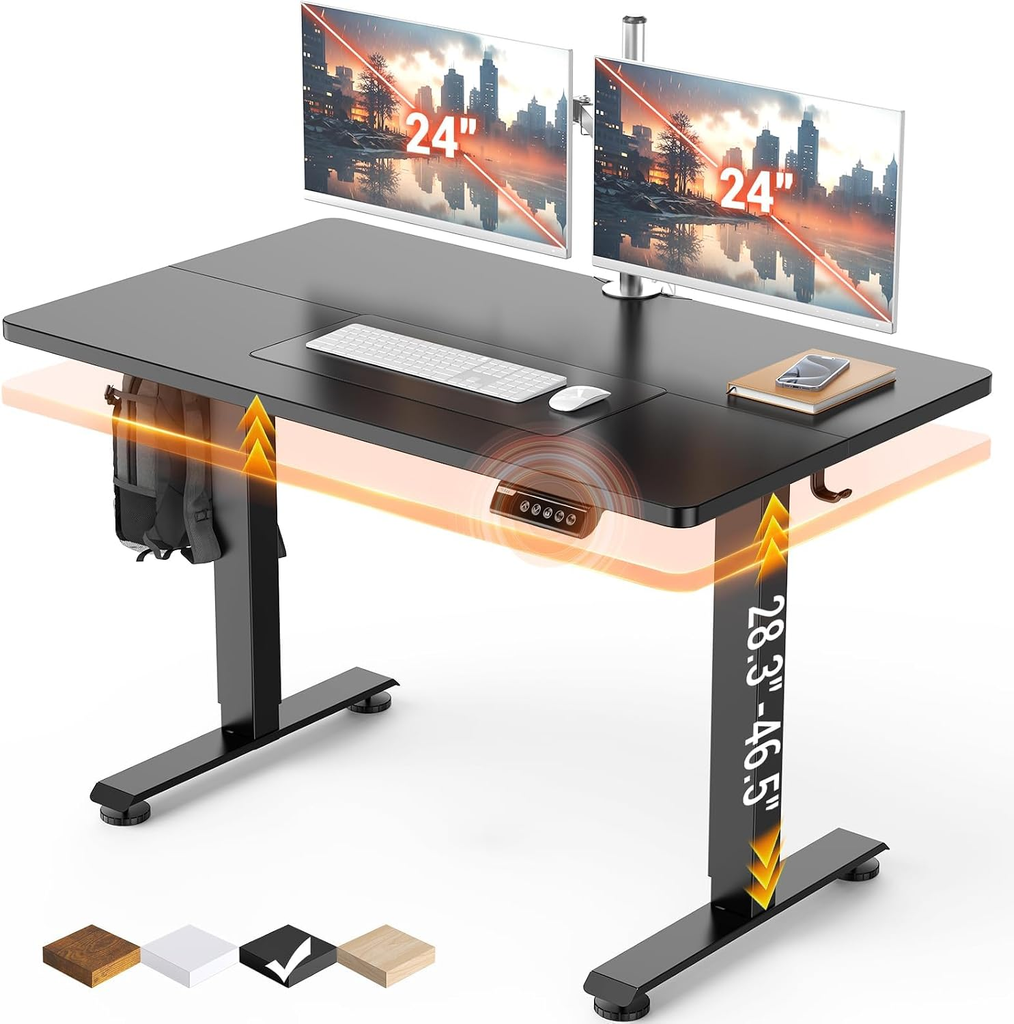
The Veken 47.2-inch desk is an appealing option if height adjustment matters more than gaming accessories. Its electric lift adjusts from 28.3 to 46.5 inches, and memory presets let you return to preferred positions without setting the height from scratch.
The selected Cyber Black version has a roughly 47.2 × 23.6-inch desktop, offering a simple surface for gaming, study or home-office work. Cable management helps organize leads, although you still need enough slack for the desk to rise safely. The steel frame supports an engineered-wood top.
The important construction detail is that the desktop consists of two boards rather than one continuous panel. A large desk mat may suit users who prefer a consistent mouse surface. Also check the height range against your seated and standing positions: electric adjustment does not guarantee a comfortable fit for every user. This is a useful budget choice for a compact setup that benefits from switching between sitting and standing.
Pros: Electric height adjustment; Memory presets; Compact rectangular layout.
Cons: Two-piece desktop; Height range may not suit every user.
6. Veken 55-Inch Electric Standing Desk
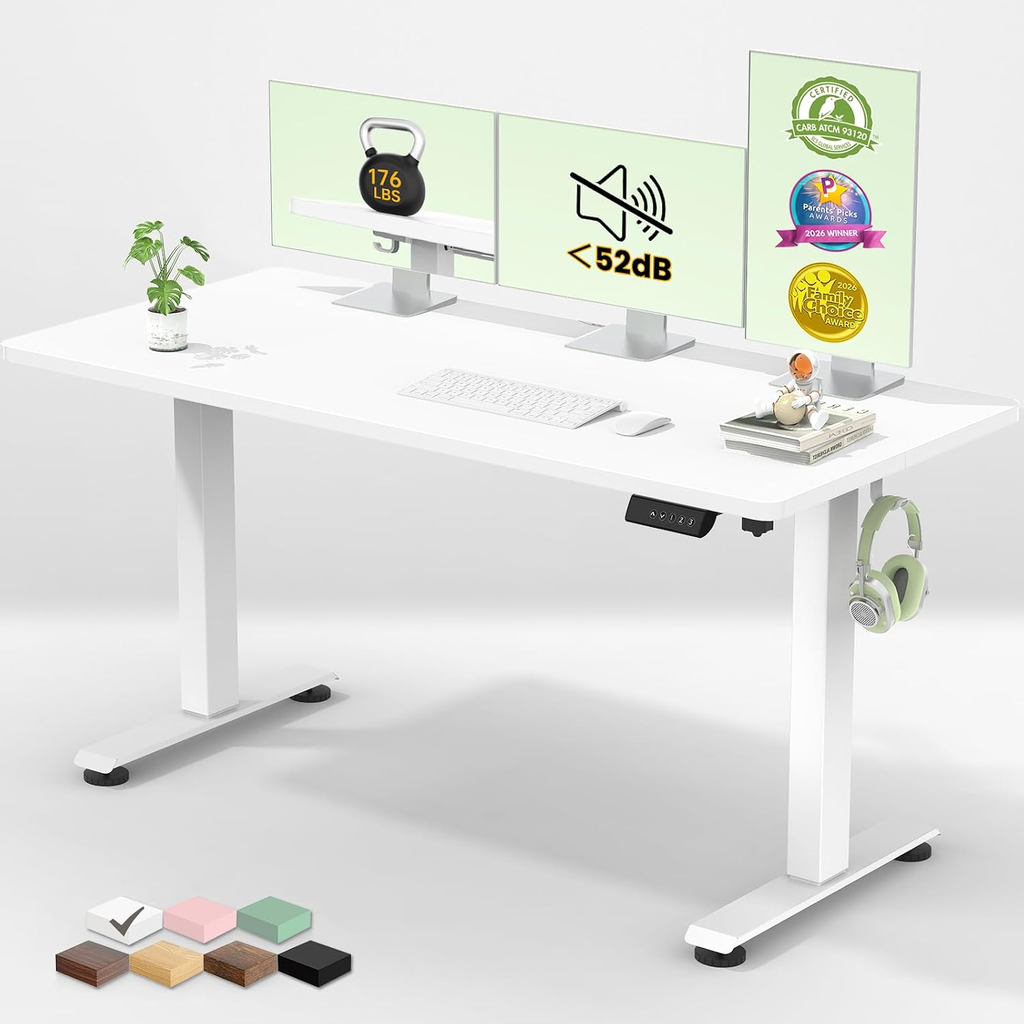
The 55-inch Veken offers more width than the smaller model while keeping the same straightforward sit-stand design. Its approximately 55 × 23.6-inch work surface gives you more room to spread out monitors and accessories, making it worth considering for a combined gaming and work setup.
Electric adjustment spans 28.3 to 46.5 inches, with memory presets for preferred heights. Cable management helps keep leads organized, and the selected white finish provides an alternative to the black gaming desks in this list. The desktop is made from two boards, so expect a joint across the surface.
The extra width helps with equipment placement, but depth remains similar to the compact Veken. Large monitor stands can still reduce usable space in front of the screen. Measure the height range against your needs and leave slack in every connected cable before raising the desk.
Pros: Wider desktop than the compact Veken; Electric lift with memory presets; Cable management included.
Cons: Two-piece desktop.
7. Korfile 66-Inch L-Shaped Gaming Desk
The Korfile 66-inch desk is aimed at larger corner setups with multiple pieces of equipment. Its reversible L-shaped layout offers separate areas for gaming and storage, while a long monitor shelf frees up space beneath the screens.
Two fabric drawers provide covered storage for smaller accessories, and the sliding CPU shelf keeps the computer off the main desktop. Two headphone hooks add convenient hanging space. Three AC outlets, two USB ports and adjustable LED lighting round out the features.
This is a more involved piece of furniture than a basic gaming table. Check both sides of the L-shaped footprint and leave enough space to move your chair. The fabric drawers are better suited to light accessories than heavy hardware, and the monitor shelf limits how freely you can rearrange stands. For buyers with the room, the storage is the main attraction.
Pros: Large reversible corner layout; Fabric drawers and sliding CPU shelf; Outlets, USB ports and LED lighting.
Cons: Requires more floor space.
8. PRAISUN 55-Inch Gaming Desk with Charging Station
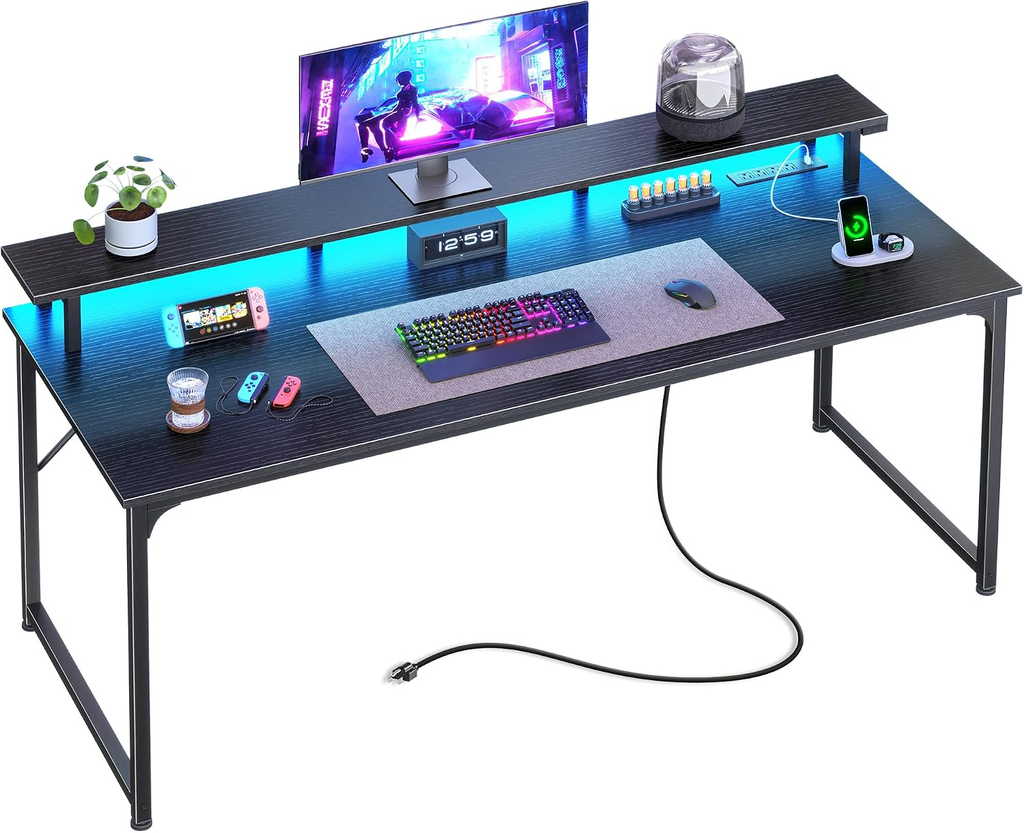
The PRAISUN is a useful choice for a wider setup with several devices to connect. Its charging station includes four AC outlets, two USB ports and one USB-C port, putting more connections within reach than many simple budget desks.
A raised monitor shelf creates space underneath for smaller accessories, while app-controlled RGB lighting adds adjustable effects. Although the model is sold as 55 inches, the listing describes the actual desktop as approximately 54 × 19.7 inches. That gives you width for arranging equipment, but less depth than the HLDIRECT options.
Consider this desk if accessible power connections and a monitor riser are priorities. Check the size of your monitor stands and keyboard before buying, as the shallow desktop leaves less flexibility for positioning them. The charging station is an integrated set of outlets and ports, not a replacement for your computer’s power supply.
Pros: Four AC outlets plus USB-A and USB-C ports; Raised monitor shelf; Wide desktop with RGB lighting.
Cons: Shallow 19.7-inch desktop.
9. ODK 48-Inch Gaming Desk with Storage Shelves

The ODK 48-inch desk is a compact option for gamers who need dedicated storage without a tall hutch. Its reversible shelves let you choose which side holds your accessories, and a separate CPU stand helps keep the tower off the main work surface.
The raised monitor stand leaves space underneath for smaller items, while LED lighting offers adjustable colors and brightness. A reinforced steel frame and X-shaped crossbar support the engineered-wood desktop.
This layout is best suited to a small bedroom or home-office setup where organization matters more than a completely open desktop. Measure your computer case against the available shelf space, including clearance for ventilation. Shelving also uses some of the space beneath the desk, so check legroom and chair movement. Do not assume that the 55-inch variant has the same price or dimensions as this selected model.
Pros: Reversible shelves and dedicated CPU stand; Raised monitor shelf and LED lighting; Compact layout.
Cons: Shelves reduce open space beneath the desk; Limited layout flexibility for bulky equipment.

